
Tenants- Access your portal your way!
Please Note that the website and app look a little different from each other and that some features available on the website may not be available on the app.
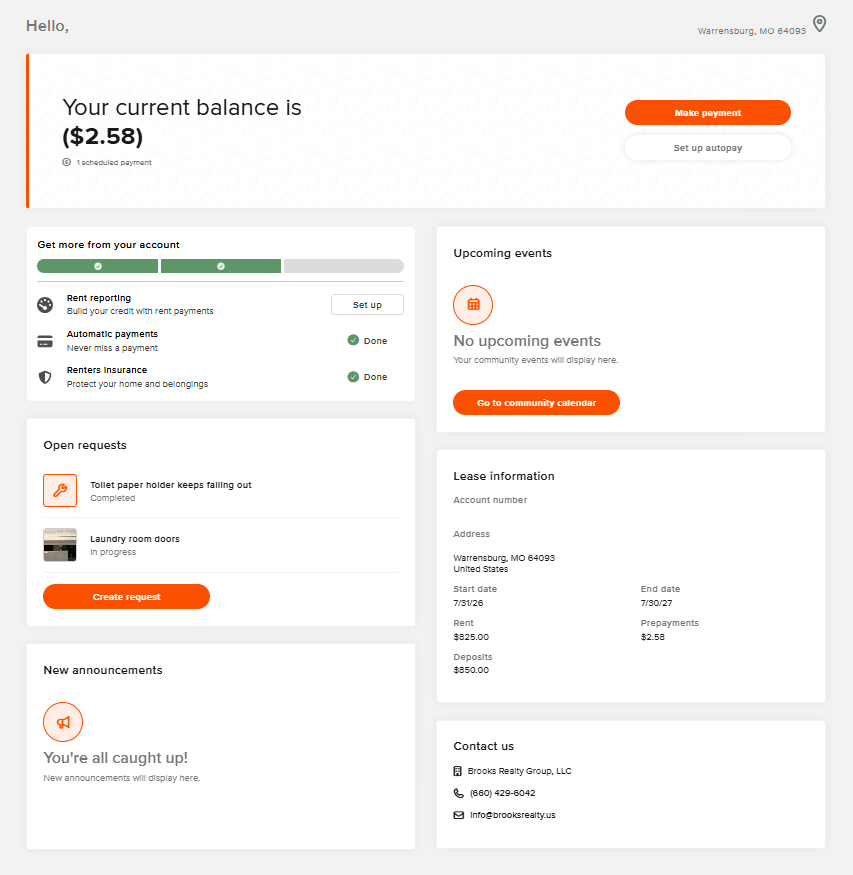
YOUR ONLINE PORTAL
Your account at your fingertips. Anytime, anywhere.
PAY RENT
Securely pay rent online from anywhere. Set up automatic payments so you always pay on time.
SUBMIT MAINTENANCE REQUESTS
Quickly submit maintenance requests that go directly to our maintenance queue.
SEAMLESS COMMUNICATION
Send communications to us at anytime.
RENTERS INSURANCE
Easily submit proof of insurance coverage or purchase a policy, right from your portal.
FAQs
How do I access my portal?
1
We have 3 different options found at the top of the page- you can visit https://signin.managebuilding.com/Resident/portal/global-login to access it on the web or you can download the buildium resident center on your applicable app store. There is two apps- the buildium app and the resident center app. You need to download the resident center, which will be the grey app.
How do I reset my password?
2
If you get locked out of your portal and cannot remember the password just call us at the office and we can send you a reset password email link! The link will expire after 15min so make sure you have your email handy before giving us a call. If we dont answer, please leave a VM so we can get right with you
How do I submit a move out request?
3
Simply visit https://signin.managebuilding.com/Resident/portal/global-login since this is not a feature found on the app. Once you’re signed in, click on your profile icon on the top right > My Account > Refund Settings & Move out > Request Move out. Fill in the information and you’re done!
How do I provide proof of insurance?
4
Simply visit https://signin.managebuilding.com/Resident/portal/global-login since this is not a feature found on the app. On the left side there is a tab “Resident Services” click that and then Renters Insurance. Here you can upload or edit your policy!